
Overview
What is P6 Primavera Data Service (PDS): Primavera Data Service is Oracle's RESTful access service for cloud-hosted Primavera applications. It returns P6 EPPM and Primavera Unifier transactional data as JSON through REST endpoints. Teams query exposed reporting objects to extract data across large capital programs.
How to integrate P6 Primavera Data Service (PDS) with Datagrid
The P6 Primavera Data Service Datagrid integration reads P6 EPPM cloud data through PDS REST endpoints and syncs it into Datagrid on a schedule. Datagrid submits JSON queries to the PDS runquery endpoint, ingests activity, WBS, resource, and cost records from the publication layer, and then passes those records to AI agents that run DCMA-style schedule checks, baseline-versus-update comparisons, and earned-value rollups, all joined with ERP and field data. Data flows one way: PDS reads P6 data into Datagrid for reporting extracts, and because PDS has no webhook or event support, Datagrid polls on a configured schedule to keep extracts current. Follow this setup order: confirm PDS access, configure authentication, then review the data sync details.
Confirm PDS access
Follow these steps to prepare the PDS environment and create the Datagrid connection.
Confirm PDS is active in your environment. PDS is not enabled by default; your Oracle admin must submit a Service Request in My Oracle Support to enable it, as described in the PDS access guide.
Assign the connecting person a Primavera Data Service role, such as Primavera Data Service Production, in Primavera Administration.
In Datagrid, select the Primavera Data Service integration.
Fill in your Primavera Data Service credentials and database. For reporting extracts, use the
ds_p6reportuserconfiguration.Fill in the remaining configuration details, including the exposed objects, sync direction, and polling frequency, then complete the connection.
A minimal Datagrid configuration looks like this:
integration: Primavera Data Service
database: ds_p6reportuser
source: pxrpt publication tables
objects:
  - activity records
  - WBS records
  - resource records
  - cost records
sync:
  direction: PDS to Datagrid
  frequency: scheduled polling
Configure authentication
PDS authentication depends on the endpoint version and hosting environment. PDS uses HTTP Basic authentication over SSL/TLS in all versions. Version 25 adds OAuth tokens, but only for teams hosted on Oracle Cloud Infrastructure. Basic auth pairs with v1 endpoints; OAuth pairs with v2 endpoints.
A Basic-auth request to the runquery endpoint uses this pattern:
curl --request POST "https://<your-pds-host>/pds/rest-service/dataservice/runquery" \
  --user "<username>:<password>" \
  --header "Content-Type: application/json" \
  --data @pds-runquery.json
A Datagrid-side JSON request can keep the extract intent explicit:
{
  "database": "ds_p6reportuser",
  "source": "pxrpt",
  "objects": ["activity", "WBS", "resource", "cost"],
  "operation": "runquery"
}
Review data sync details
Review these sync rules before putting the integration on a production reporting schedule.
Objects: Database tables, views, and synonyms exposed by your PDS configuration. The Version 26 guide lists views such as
PXSETTINGSandAUDIT_SETTINGS; broader schedule data comes through the publication tables.Direction: One-way, PDS to Datagrid. This matches the read path used for reporting extracts.
Frequency: Scheduled polling at the interval you configure in Datagrid.
Schema changes: In Version 24 and later, adding, removing, or renaming tables or columns requires a call to the Metadata Refresh status endpoint to resync PDS.
Query limits: The Oracle PDS endpoints reference includes no BLOB or CLOB queries and no LIKE or IN conditions. Build sub-queries, multiple joins, and aggregates as database views.
Datagrid normalizes a PDS extract into a shape that agents can analyze across schedule, resource, and cost workflows:
{
  "activity_records": [{ "activity": "...", "cost": "..." }],
  "wbs_records": [{ "WBS": "...", "percent_complete": "..." }],
  "resource_records": [{ "resource": "..." }],
  "metadata": {
    "database": "ds_p6reportuser",
    "sync_mode": "scheduled_polling"
  }
}
Why use P6 Primavera Data Service (PDS) with Datagrid
Connecting PDS to Datagrid gives project controls teams a repeatable path from schedule data to executed analysis across every update cycle.
Scheduled extraction: Datagrid polls the PDS runquery endpoint and automatically ingests activity, WBS, and resource data.
Automated schedule quality checks: AI agents evaluate relationship types, lags, constraints, and float against DCMA 14-point thresholds and flag violations at the activity level.
First-pass delay analysis: Agents compare successive schedule snapshots, compute float changes and critical path shifts, and draft a structured delay narrative for the scheduler to review.
Cost-schedule joins across integrations: Agents combine P6 progress data with ERP actuals from a connected ERP system to calculate SPI and CPI at the WBS level.
Query gap handling: PDS blocks complex SQL in its JSON queries, so agents execute the joins, filtering, and aggregation inside Datagrid instead.
Field-to-schedule reconciliation: Agents cross-check P6 activities against daily logs and percent-complete data from Procore to catch progress discrepancies early.
What you can build with P6 Primavera Data Service (PDS) Datagrid integration
These workflows start with the same P6 schedule data, then hand off interpretation, comparison, and reporting to Datagrid's AI agents, while project controls teams retain judgment calls.
DCMA 14-point health checks: Agents extract logic data and schedule-quality fields, such as constraints and float, for each submission, test schedule-quality thresholds, and generate an activity-level violation report. Checks include start-to-start relationship limits, negative-lag checks, and FF and SF relationship review.
Delay analysis pipeline: Agents ingest the baseline plus periodic updates, compute float trends and critical path shifts between data dates, then flag activities with logic changes. The output remains a first-pass forensic narrative a scheduler refines before treating it as claim material. AI can read the update but cannot know whether a subcontractor is overpromising; the agent handles the admin side, and the analyst keeps the judgment.
Weekly EVM reporting: Agents pull budgeted cost, actual cost, percent complete, and resource assignments through
ds_p6reportuser, join them with job-cost actuals, and compute SPI, CPI, and TCPI at WBS and project level. Formatted reports land in inboxes or dashboards without an export-and-reconcile cycle.Portfolio reporting for executives: Agents extract milestone dates, float, percent complete, and resource loading across every active project, then write narrative summaries that flag at-risk projects. Teams build schedules in P6; this pipeline moves the analysis out of P6 and delivers it on schedule.
Resources and documentation
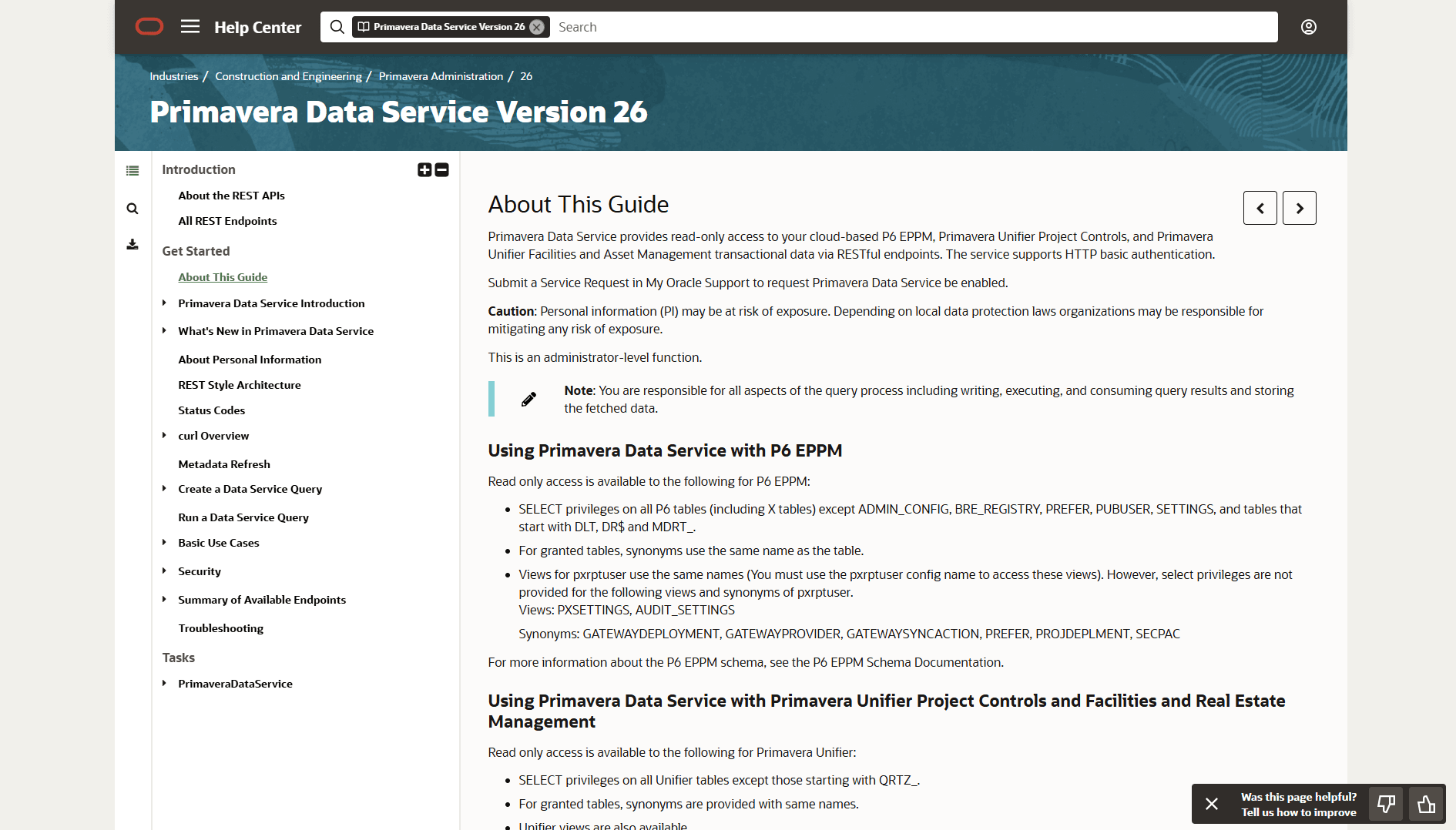
PDS guide: Oracle's Version 26 guide covering enablement, accessible objects, and authentication details.
PDS endpoints: Oracle's Version 25 reference documenting v1 and v2 paths for runquery, metadata, and job-status operations.
PDS access guide: Oracle's Version 25 guide covering roles, base URLs, and database configurations.
OAuth tokens: Oracle's Version 25 security guide covering Basic auth and OAuth endpoint selection.
P6 EPPM REST API: Oracle's Release 26 reference for workflows that need write access to P6.
Frequently asked questions
Can Datagrid write data back to P6 through PDS?
No. Use the separate P6 EPPM REST API for workflows that update P6, such as pushing field progress into activities.
Does the PDS integration work with on-premises P6?
No. PDS is a cloud-only service and is not available for on-premises P6 EPPM, per the Oracle Cloud Administration documentation. It also does not apply to P6 Professional, which uses a two-tier desktop architecture. On-premises deployments extract data through other paths, such as direct database access or Web Services.
What credentials does Datagrid need for the PDS connection?
A username and password for HTTP Basic authentication, plus a Primavera Data Service role assigned in Primavera Administration. Oracle's PDS access guide states credentials fail without the role, for example, Primavera Data Service Production. OCI-hosted teams on Version 25 or later can use OAuth bearer tokens with v2 endpoints instead.
How current is the P6 data inside Datagrid?
As current as the polling schedule. Datagrid queries endpoints such as /pds/rest-service/dataservice/runquery at configured intervals. Extracts through ds_p6reportuser also depend on the P6 publication process; publication must run before fresh data reaches the pxrpt tables.
Does automated third-party access to P6 require additional Oracle licensing?
Possibly. Oracle's P6 licensing manual states that unlicensed users or systems accessing P6 data through automated processes, including APIs and web services, must hold the Primavera P6 Peripheral Access Program license or its cloud equivalent. Confirm coverage with your Oracle account team before connecting automated integrations.
Similar integrations
Oracle Primavera Cloud (OPC): Shares the Primavera family and addresses Primavera Cloud use cases where PDS and OPC APIs differ, supporting cross-product schedule and migration workflows.
Procore: Complements schedule-to-field workflows by syncing P6 schedule data with field execution progress and lookahead planning captured in Procore.
Autodesk Construction Cloud (ACC): Integrates BIM and model-based data with P6 schedules to align construction sequencing with quantities and coordination insights.
Fieldwire: Feeds field-collected daily logs and progress updates into schedule reconciliation and delay-analysis workflows driven by P6 extracts.
Trimble Connect: Links model and asset-document data with P6 schedules for coordinated BIM-to-schedule reporting and automated quantity extraction.