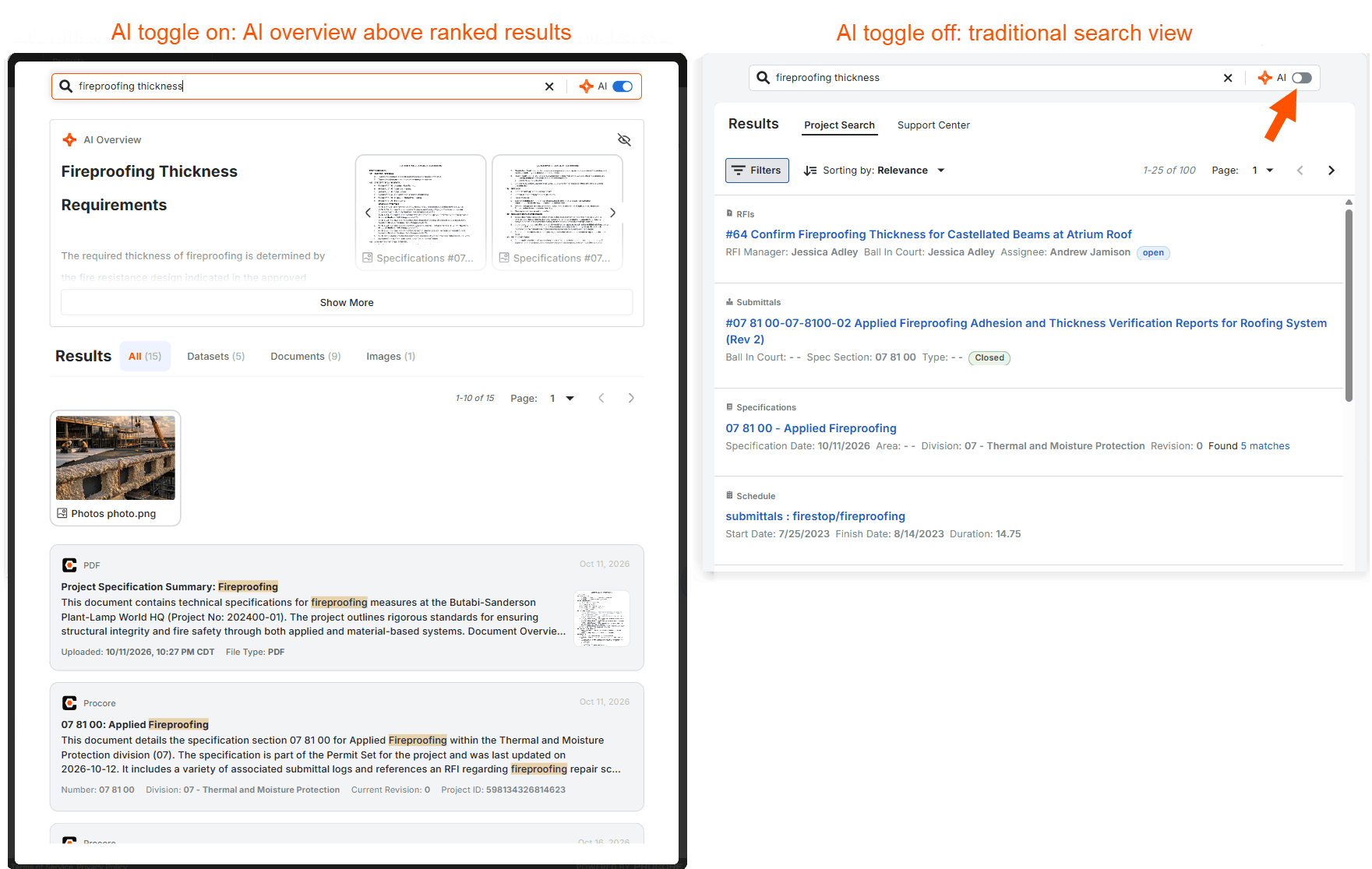
Procore’s search baricon - markup searchnow includes AI-powered search to help you pull together information from across your project. In projects where Procore AI is enabled, your search can return an AI summary with its sources, thumbnails of relevant project files, and a ranked list of related Procore items and files organized by type. For example, a search for “fireproofing thickness” shows a summary of the project’s fireproofing requirements, along with photos and PDFs you can click to view in Procore. AI search respects your Procore permissions and is available on the web to users with an assigned Procore AI role. AI search is on by default. To switch to the traditional search view, click the AI toggleicon - toggle on - pfcpat the top of the search window to turn it off. Learn more about using Procore’s AI search.