
Overview
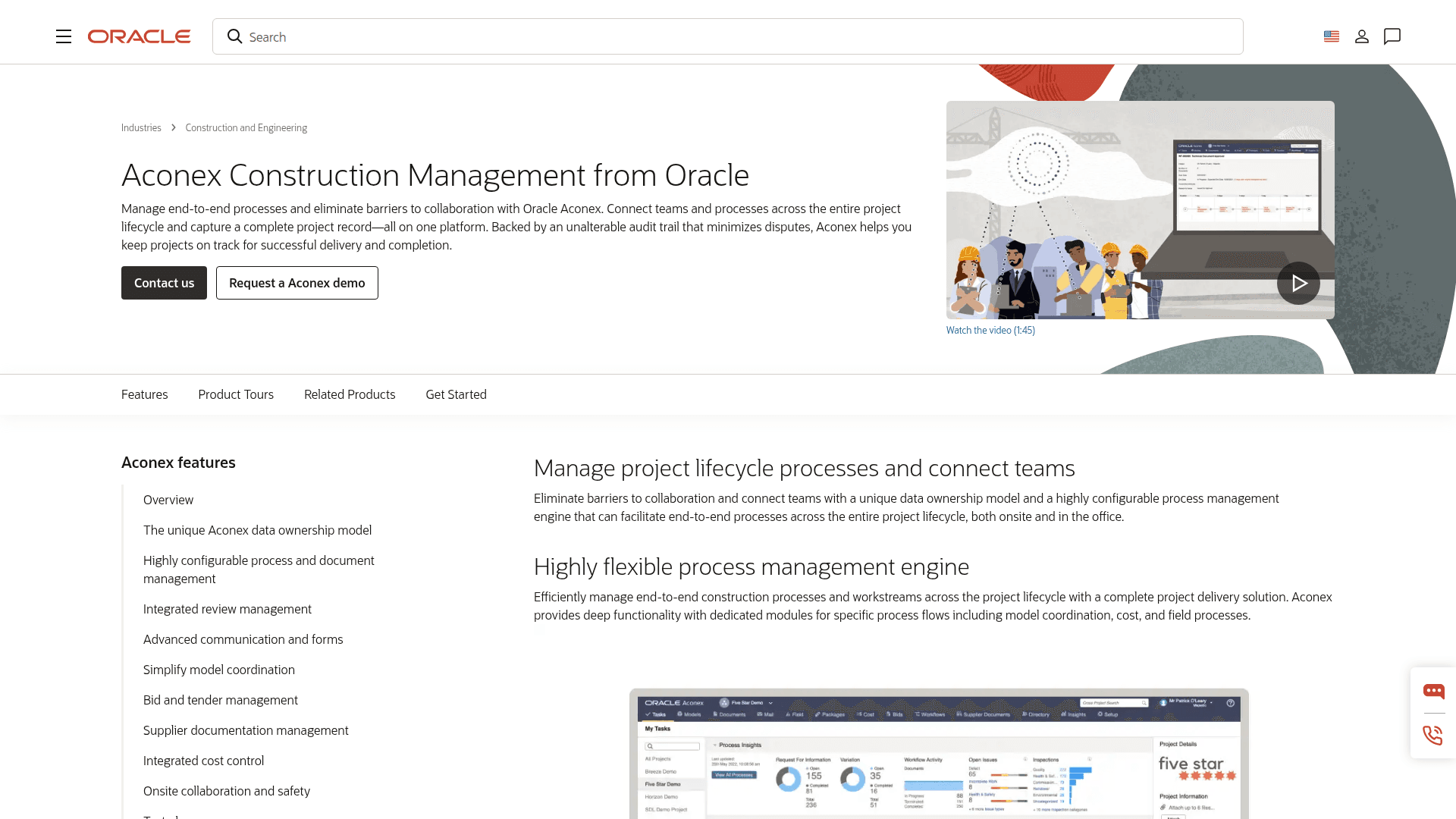
What is Oracle Aconex: Manage end-to-end processes and eliminate barriers to collaboration with Oracle Aconex. Connect teams and processes across the entire project lifecycle and capture a complete project record, all on one platform. Backed by an unalterable audit trail that minimizes disputes, Aconex helps you keep projects on track for successful delivery and completion.
Aconex provides you with the following features:
Eliminate barriers to collaboration
Highly flexible process management engine
Unalterable audit trail
A true common data environment
A complete design-build solution
How to integrate Oracle Aconex with Datagrid
To integrate Oracle Aconex with Datagrid, follow these steps:
Data Access
Constraints: On most Mail endpoints, the request will fail if the specified project is in any of the following states:
De-activated, Disconnected
The request will also fail if the authorizing user does not have access to the specified project.
The service cannot search multiple mailboxes at the same time
Don't see the endpoints you are looking for? We're always happy to make new endpoints available. Request an endpoint here!
Configuration guide
Setup time: 1 minute
Requirements:
Oracle Aconex subscription
Web Browser (Safari, Chrome, Edge, Firefox)
Datagrid account
1. Navigate to the Connectors
To find connectors in Datagrid, you must be signed in to your account. On the left side panel of your Workflow, click on "Integrations".
2. Select Oracle Aconex
Navigate to the 'Construction & BIM' header and under Oracle Aconex, click on Setup Integration.
3. Click on Create a Connection
4. Fill in your Box credentials
Access Aconex either through OAuth Login or your User Account.
For the OAuth Login, enter the follow required fields:
Connector Name
Hostname
Client ID
Client Secret
After entering these fields, click on Login to Oracle Aconex. You can also enter the Aconex Field APIs.
For the User Account setup, enter the following fields:
Connector Name (required)
Hostname (required)
Username (required)
Password (required)
Aconex Field API Key (optional)
5. Click on Validate Configuration
Now that you have all Configuration details filled in, click on Validate Configuration.
If the information entered is valid, a Validation Successful message will appear.
Invalid fields will be highlighted in red and a successful validation will show in green.
6. Click "Add Configuration" to finalize your configuration
Why use Oracle Aconex with Datagrid?
Teams that need answers and action, not admin, can use Datagrid to execute repeatable Aconex workflows directly against the project record:
AI agents that read built-world project files, not just route them: Aconex handles workflow routing and notifications. Datagrid's agents read the actual document content, including drawing title blocks, specification headers, and RFI threads, then determine what action to take next.
Access across 12+ API modules: Oracle documents broad API and adapter coverage across the Aconex document register, mail system, packages, field data, BIM issues, and cost records.
Automated metadata tagging at upload: AI agents extract document type, discipline, revision number, and work package assignment directly from document content. They populate Aconex's metadata-driven register without manual data entry.
BIM issue triage with BCF API v3.0: Datagrid connects to Aconex's recently added Models module to classify clash detection issues. Agents can execute assignment and prioritization workflows using BIM issue data without manual coordination.
Built-world workflows, not generic document processing: Datagrid agent workflows are grounded in Aconex's documented API capabilities, including RFIs, submittals, ITPs, vendor documentation packages, and handover records.
Audit trail integrity maintained: Datagrid agents push outputs back into Aconex as standard mail replies, document updates, and workflow actions where available. The immutable audit trail remains intact for legal and regulatory compliance.
What you can build with Oracle Aconex and Datagrid
Datagrid connects Aconex project data to workflows that project teams already run every day. The examples below show where agents can read project files, interpret context, and execute the next step:
Automated RFI classification and response drafting: When an RFI arrives in Aconex as a mail item, a Datagrid agent extracts the full thread and attachments.
Intelligent document register maintenance: On large infrastructure projects, documents get uploaded to Aconex with incomplete or inconsistent metadata.
BIM clash issue assignment and prioritization: Clash detection generates hundreds of issues that must be logged, assigned, and tracked across trades.
Handover package gap analysis and assembly: At project close-out, a Datagrid agent queries the Aconex document register across document types, disciplines, and statuses.
Resources and documentation
Aconex API overview - Oracle API module index, customer integration registration, and API news
Getting started guide - Oracle Aconex authentication methods, versioning, request formats, and error handling
Documents API guide - Oracle Aconex document register schema, search modes, field definitions, and upload operations
Cloud Adapter capabilities - Oracle Aconex documented API modules and operations for the Oracle Integration 3 adapter
Adapter use cases - Oracle Aconex documented integration workflows for Documents, Mail, Packages, Field, Cost, and BIM modules
OAuth implementation guide - Oracle Aconex JWT Bearer setup, Lobby configuration, and grant type details
Adapter release notes - Oracle Aconex Cloud Adapter changelog including BCF API v3.0 and Related Items additions in Release 25.02
Frequently asked questions
What data can Datagrid AI agents access from Oracle Aconex?
Datagrid agents access data across 12+ API modules documented in the Cloud Adapter capabilities page: Documents, Mail, Workflows, Packages, Field (inspections and punch lists), Cost, Models (BCF API v3.0), User Roles, Project Fields, Related Items, Tasks, and Projects. Datagrid coverage varies by endpoint and workspace configuration. Agents can read project data and write structured outputs back into Aconex where available. The Directory module is a notable exception; it is not supported by the native Cloud Adapter and requires the generic REST Adapter instead.
Does Oracle Aconex support webhooks or real-time event triggers?
No official webhook or event-trigger support is documented in the provided Oracle sources. All documented Aconex integration patterns are polling-based (REST API request-response). The Oracle Aconex Cloud Adapter is configured exclusively as an invoke (outbound) connection. Datagrid initiates data sync from its side. Monitor the Aconex API news section for future announcements.
Can Datagrid agents work with BIM models in Oracle Aconex?
Yes. Oracle added the Models module (BCF API v3.0) to the Aconex Cloud Adapter in Release 25.02 (February 2025). Datagrid agents can work with BIM-related issues where the connector coverage is enabled. Oracle documents access to topics, files, comments, viewpoints, related topics, and document references. This enables automated clash issue triage using Aconex BIM issue data.
Similar integrations
Project management: Relevant for teams standardizing RFIs, approvals, correspondence, and handover workflows around a system of record.
Document management: Relevant when the main need is metadata cleanup, register maintenance, and project file classification against stored content.
Construction project collaboration: Relevant for teams that rely on shared mail threads, workflow states, and cross-company coordination inside the project record.
Common Data Environment (CDE): Relevant when the priority is keeping document control, audit trail, and version history intact while agents execute work around the record.
Construction project controls: Relevant for teams connecting cost, field, workflow, and status data into repeatable operational workflows.
BIM / model coordination: Relevant for teams triaging clash issues and routing model-based work from the Aconex Models module.