
Overview
What is Databricks: Databricks provides a unified set of tools for building, deploying, sharing, and maintaining enterprise-grade data solutions at scale.
Databricks integrates with cloud storage and security in your cloud account, and manages and deploys cloud infrastructure on your behalf. Datagrid users can continuously pull data from Databricks.
With the Databricks integration, Datagrid users can:
Read and ingest from Databricks and transform data into interactive insights.
Clean, process, and enrich raw data into a business-ready format.
Create automations to ingest, run flows, or export data from Databricks on a schedule.
Perform data engineering tasks on ingested data, including processing, cleaning, enriching, and transforming data into insights.
How to integrate Databricks with Datagrid
Data and operations teams that store project records, model outputs, or structured datasets in Databricks use this integration to pull that data into Datagrid for agentic AI processing, enrichment, and cross-system delivery. Once connected, Datagrid's AI agents compare records, flag anomalies, and route clean outputs to CRM, project management, or communication tools without manual pipeline work.
Here are the steps to integrate Databricks with Datagrid:
Connect Databricks
There are two primary ways to integrate Databricks with Datagrid. Databricks SQL connection or Databricks volumes
Databricks SQL: This connection supports Personal Access Tokens or Service Principal
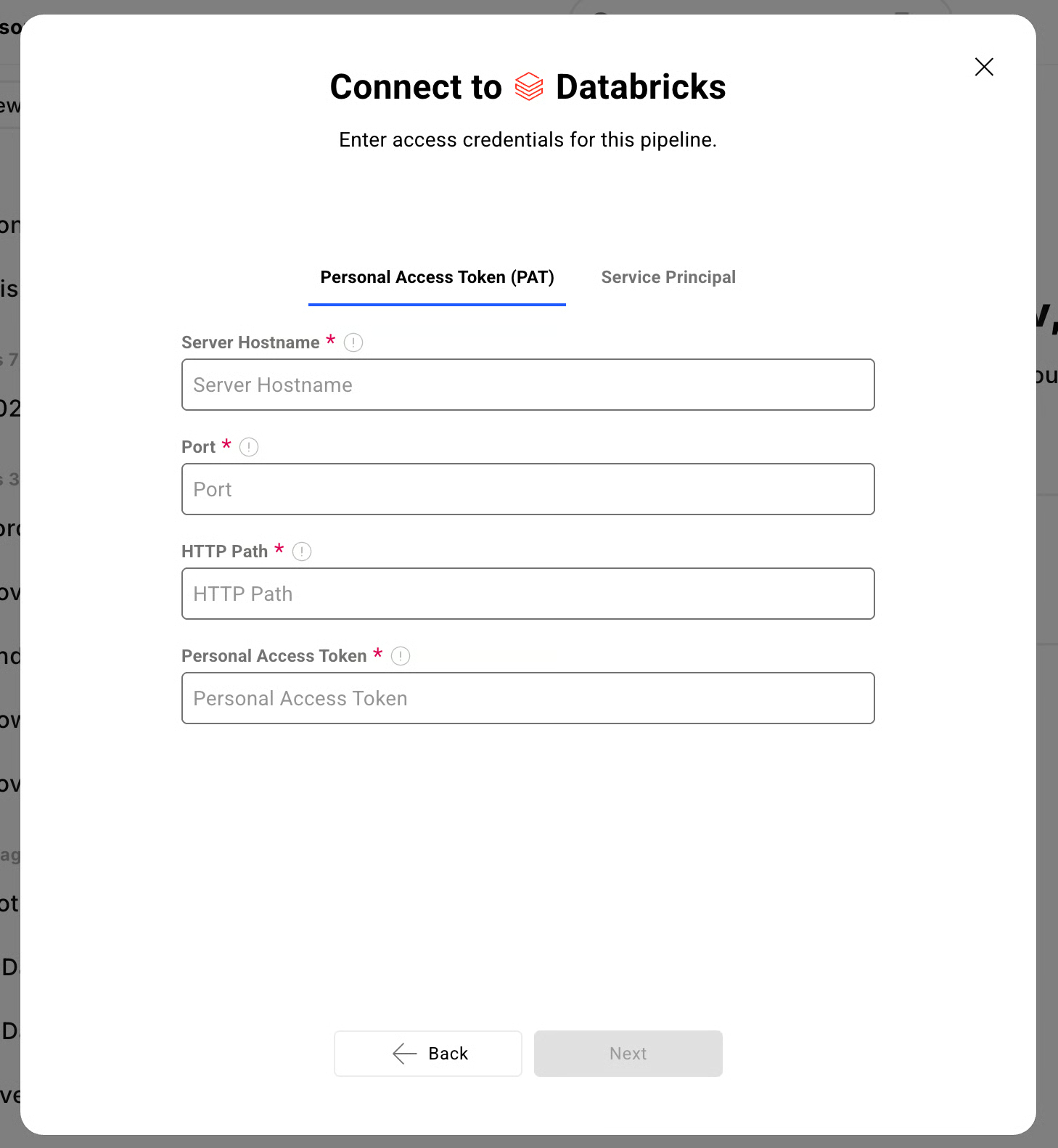
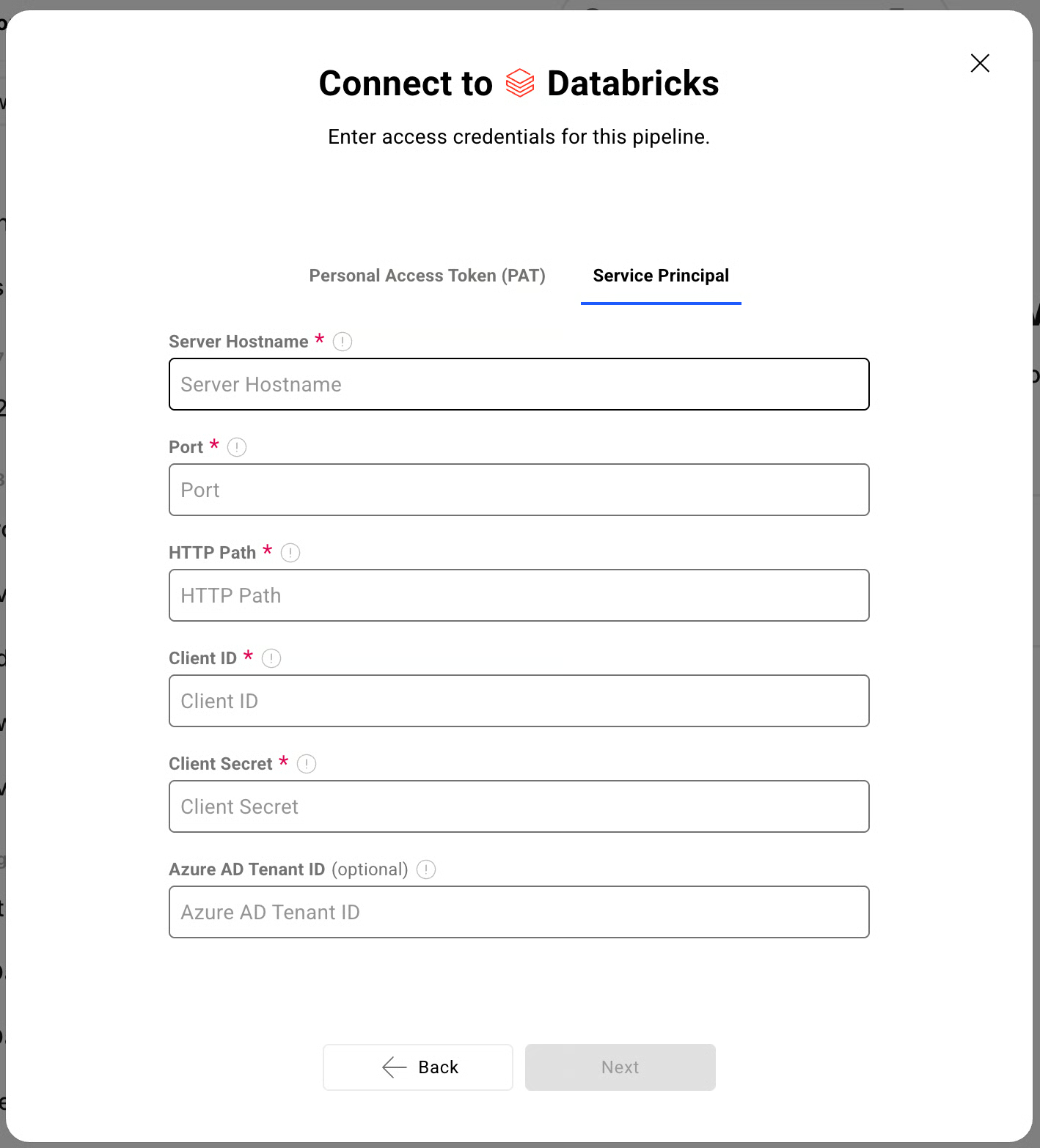
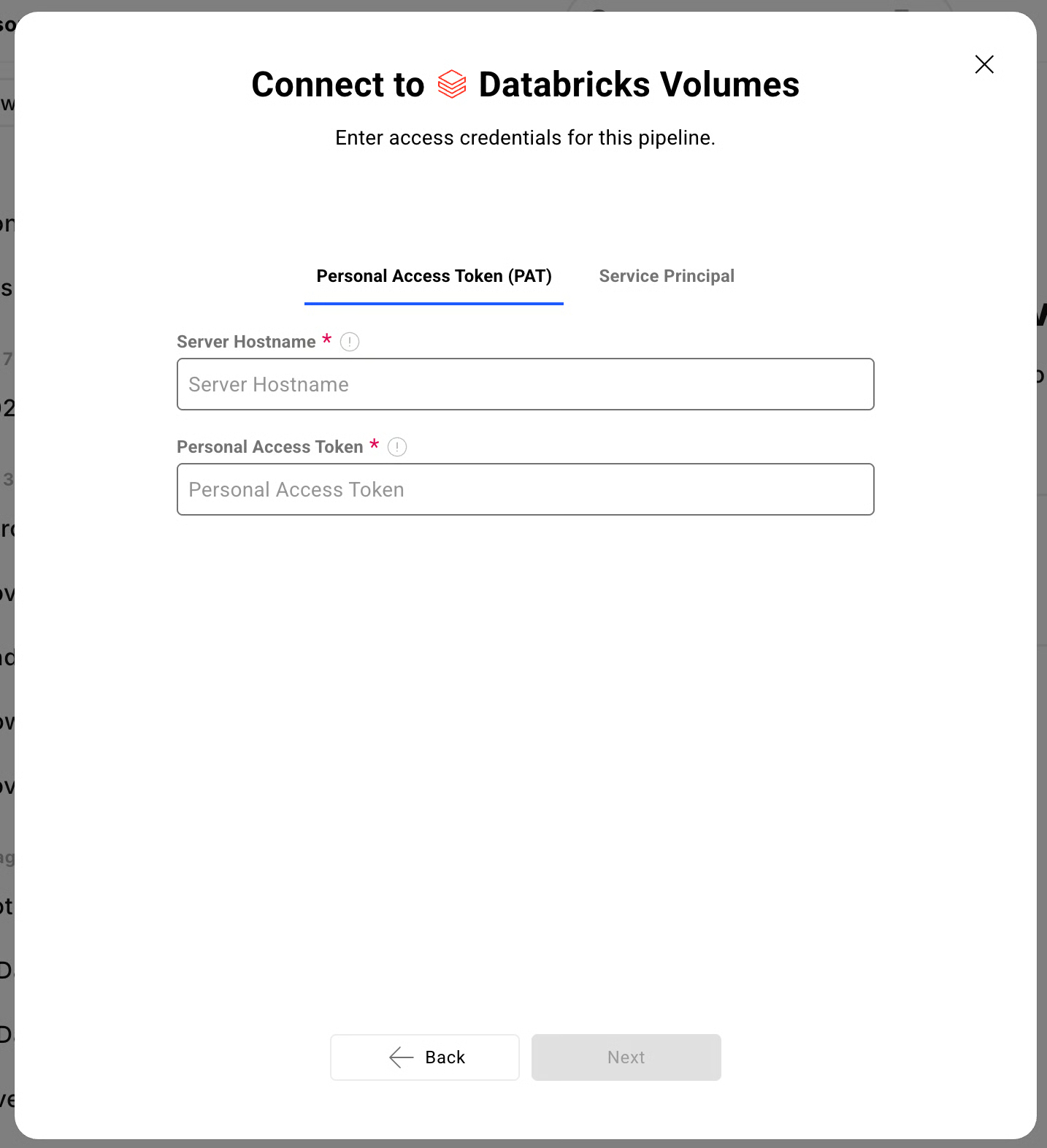
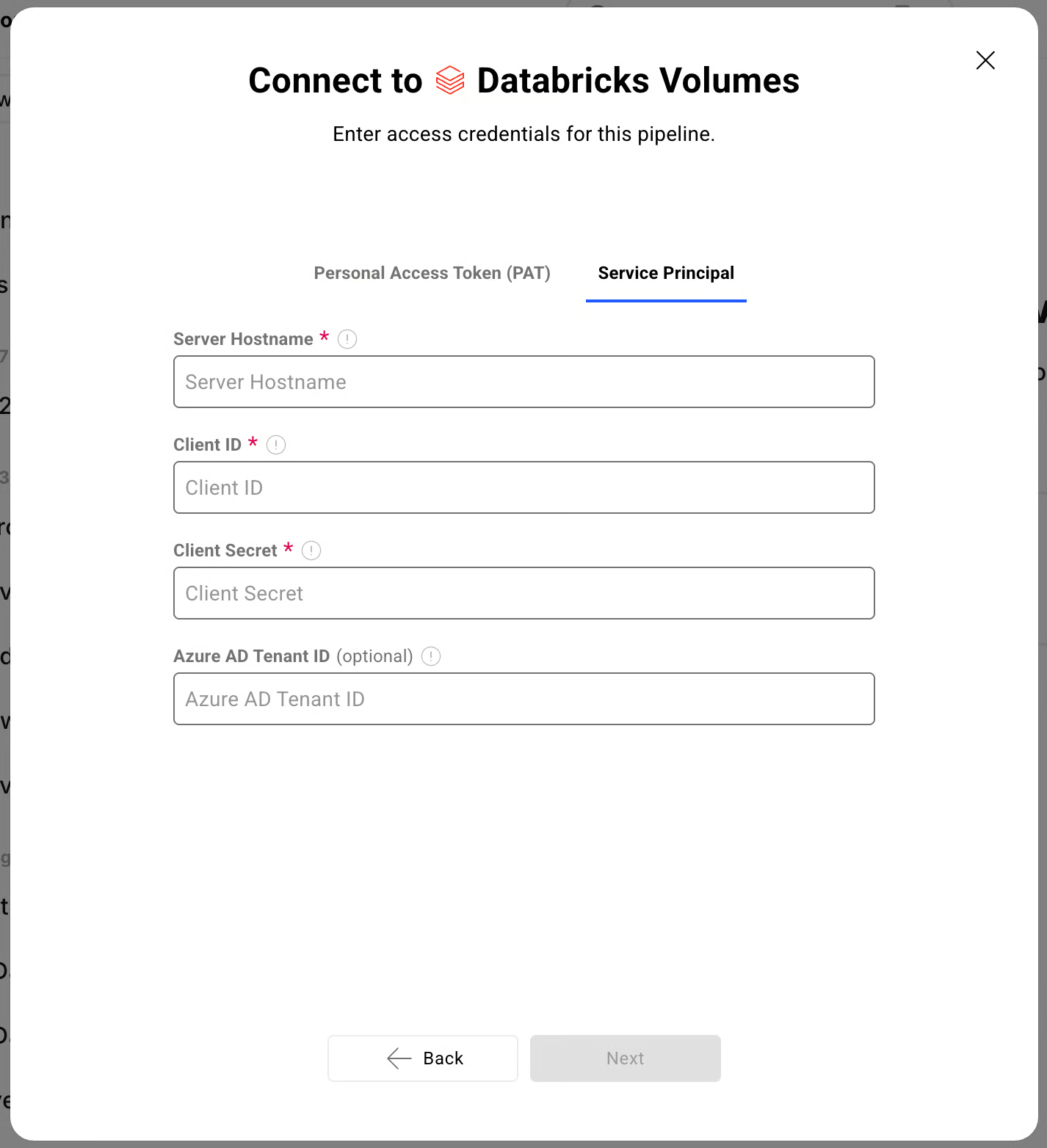
Databricks Volumes: Similarly, Databricks Volumes supports both PAT and Service Principal
Requirements
Datagrid Subscription
Databricks Subscription
Web Browser (Safari, Chrome, Edge, Firefox)
Data Access
API
REST API
Don't see the endpoints you are looking for? We're always happy to make new endpoints available. Request an endpoint here!
Connecting Databricks to Datagrid
Creating a dataset from the Databricks integration involves registering your workspace and selecting the data you want to import.
Click "+ Create" on the top left of the screen.
Select "Connect Apps".
Search for the Databricks integration from the list.
Enter your Databricks workspace URL (e.g., https://.cloud.databricks.com).
Choose your authentication method and provide the required credentials.
Click "Next".
Pick your data:
Select the Databricks data you want to include in your dataset (e.g., SQL tables, Volumes files).
Click "Start First Import" to begin syncing your Databricks dataset.
Choose authentication
Datagrid supports two authentication methods for Databricks, and the right choice depends on whether you are testing a workflow or running a production integration.
Service Principal with OAuth M2M is the recommended method for production integrations. Service principals are API-only identities that do not depend on an individual user's account status, and they generate OAuth tokens that auto-renew every hour. Generate an OAuth secret for your service principal in the Databricks Account Console.
Personal Access Tokens (PATs) are suitable for testing. PATs are workspace-scoped and auto-revoke after 90 days of inactivity. Databricks recommends migrating away from PATs for automated or scheduled workflows.
Configure data sync
Once authentication is in place, Datagrid can pull from Databricks on a schedule, run transformation workflows, and export processed results to connected systems.
Supported access paths: Datagrid reads structured data through Databricks SQL and file-based data through Unity Catalog Volumes.
Integration modes: Databricks functions as a source, destination, and storage system within Datagrid.
Sync modes: Project teams can configure continuous pulls, scheduled automations, and export workflows.
API access: The integration supports the Databricks REST API for advanced configuration.
Why use Databricks with Datagrid
Datagrid's AI agents execute the work between lakehouse storage and downstream systems, so operators spend less time maintaining pipelines and more time acting on clean data. Here’s why use Databricks integration with Datagrid:
Agentic data processing on lakehouse data: Datagrid's AI agents read from Databricks, clean and enrich records, and route structured outputs through automated workflows.
Two access paths through a single integration: Structured data via Databricks SQL and file-based data via Databricks Volumes, both available without managing separate integrations.
Automated cross-system routing: Datagrid's AI agents pull data from Databricks and deliver processed results to connected CRM, project management, or communication tools without manual handoffs.
Schedule-driven execution: Automations ingest from Databricks on a defined cadence, run transformation flows, and export results without human intervention.
Governance-aware access: Service Principal authentication integrates with Databricks access controls, so Datagrid's AI agents operate within your existing permission model.
File-to-structured-output pipelines: Datagrid's AI agents ingest files from Databricks Volumes, extract structured fields, cross-reference records, and generate formatted outputs for downstream systems.
What you can build with Databricks Datagrid integration
Connecting Databricks to Datagrid puts lakehouse data directly into execution workflows. Here’s what you can build with the Databricks integration with Datagrid:
Automated document extraction to Databricks: Route unstructured documents from cloud storage or email integrations into Datagrid, where AI agents extract structured fields and write results to Databricks.
Cross-platform data sync between lakehouse and business tools: Datagrid's AI agents pull aggregated analytics or model outputs from Databricks and deliver them to operational systems like Salesforce or HubSpot.
Scheduled ETL with intelligent data cleaning: Datagrid automations pull raw data from Databricks on a schedule, apply agentic cleaning and enrichment, and write processed results back to Databricks or connected systems.
Multi-source lakehouse ingestion pipeline: Datagrid's AI agents collect data from Google Sheets, Smartsheet, and SharePoint, normalize it, and write consolidated records to Databricks.
Resources and documentation
Datagrid API quickstart - programmatic access to Datagrid for building custom integration workflows
Datagrid developer integration registry - full list of available integrations
Databricks REST API workspace reference - complete API documentation covering SQL execution, jobs, Unity Catalog, and compute endpoints
Databricks OAuth M2M authentication guide - setup instructions for service principal authentication
Databricks Unity Catalog Volumes documentation - reference for file-based data access through Volumes
Databricks ISV integration best practices (PDF) - official guidance on building external platform integrations with Databricks
For Datagrid support, contact support@datagrid.com
Frequently asked questions
Does Datagrid support both Databricks SQL and Databricks Volumes?
Yes. The Datagrid Databricks integration covers two access paths: Databricks SQL for structured data and Databricks Volumes for file-based access through Unity Catalog. Both are available through the same integration using Personal Access Token or Service Principal authentication.
What authentication method should I use for the Databricks integration?
Use OAuth M2M with a Service Principal for any production integration. Service principals are API-only identities that do not depend on an individual user's account status. Personal Access Tokens auto-revoke after 90 days of inactivity, which can break scheduled or periodic integrations.
Can Datagrid write data back to Databricks?
The Datagrid integration documentation lists Databricks as a source, destination, and storage system that supports REST APIs. Datagrid can read data, transform it, and send processed results back to Databricks, where the configured workflow allows.
What prerequisites do I need before connecting Databricks to Datagrid?
You need an active Databricks subscription with a workspace URL and an active Datagrid subscription. For Service Principal authentication, you need a service principal with an OAuth secret configured in the Databricks Account Console. For PAT authentication, you need a valid personal access token from your Databricks workspace.
What data can I import from Databricks?
You can access structured data through Databricks SQL and file-based data through Databricks Volumes. The Datagrid setup documentation does not publish a full format-by-format support matrix.
Similar integrations
Salesforce: Fits workflows that push Databricks outputs into CRM records for account, pipeline, or scoring updates.
HubSpot: Fits teams that route processed Databricks data into marketing or sales operations.
Google Sheets: Fits workflows that collect spreadsheet data before normalizing and loading it into Databricks.
Smartsheet: Fits project workflows where structured updates move between work management systems and the lakehouse.
SharePoint: Fits document-heavy workflows where files and records move into governed Databricks pipelines.
Browse by category
Data Warehouse