Note:
- While Salesforce is used as an example, this information is applicable to all connectors.
- When configuring the schedule, the time is set in UTC (Coordinated Universal Time). You can see your timezone below the scheduler.
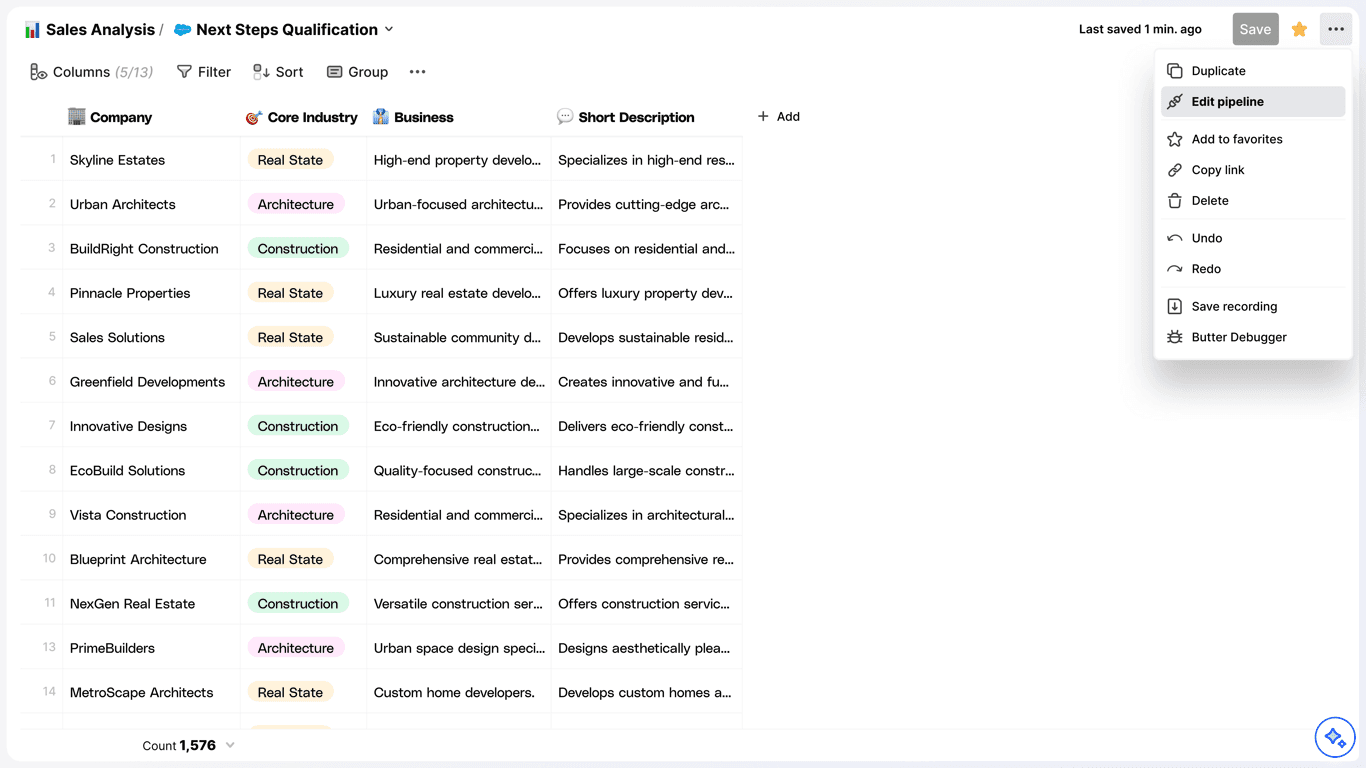
1. Edit Pipeline
Open the overflow menu ... and select “Edit”.
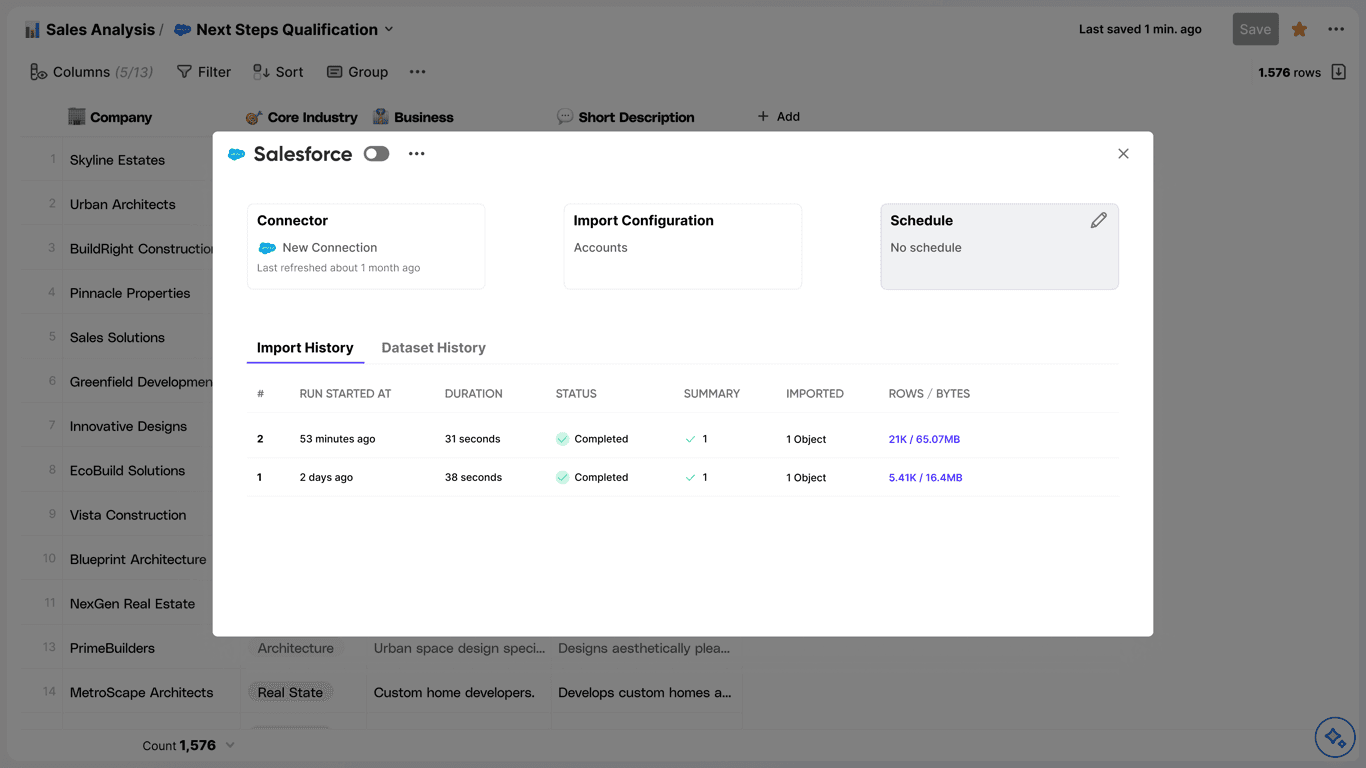
2. Schedule Pipeline
- Hover the “Schedule” box and select “Schedule”.
- Configure the schedule to your preference.
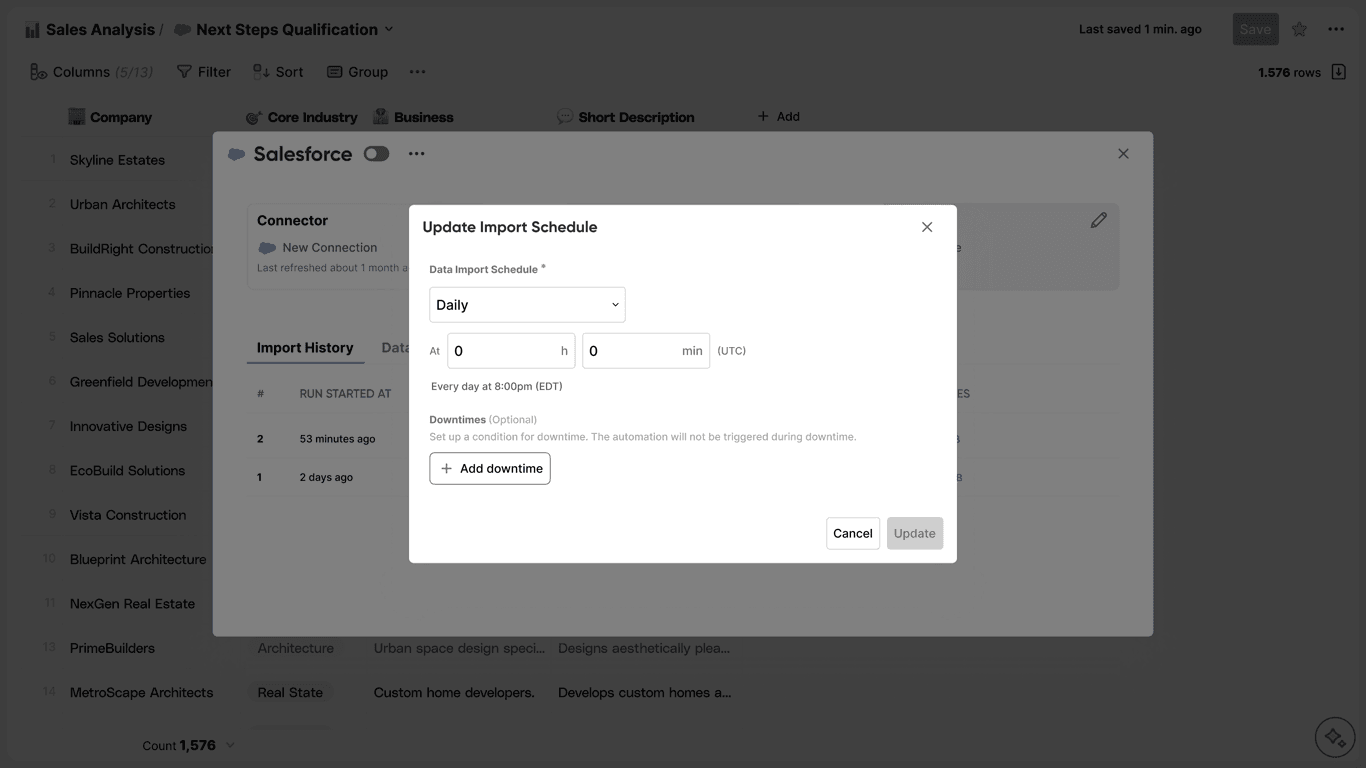
- Press “Update” whenever you are done setting up your schedule.
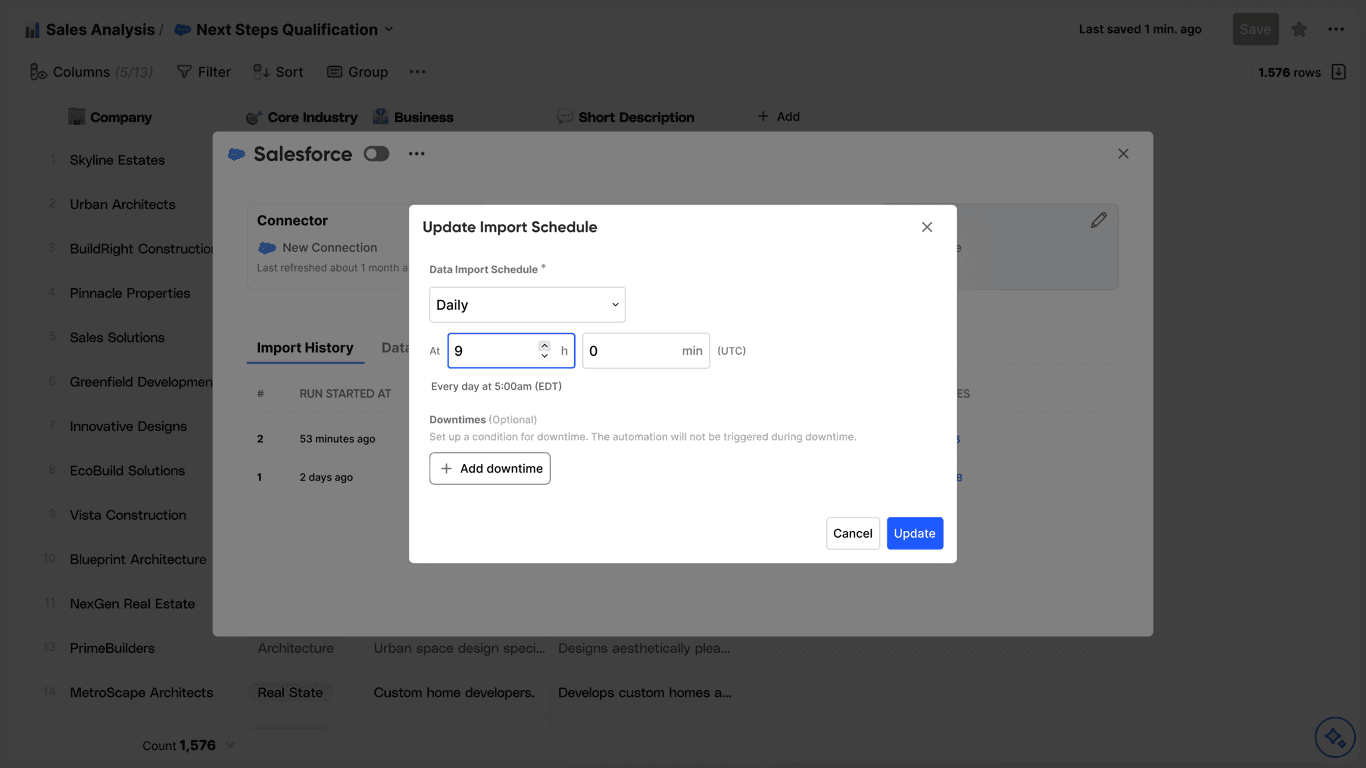
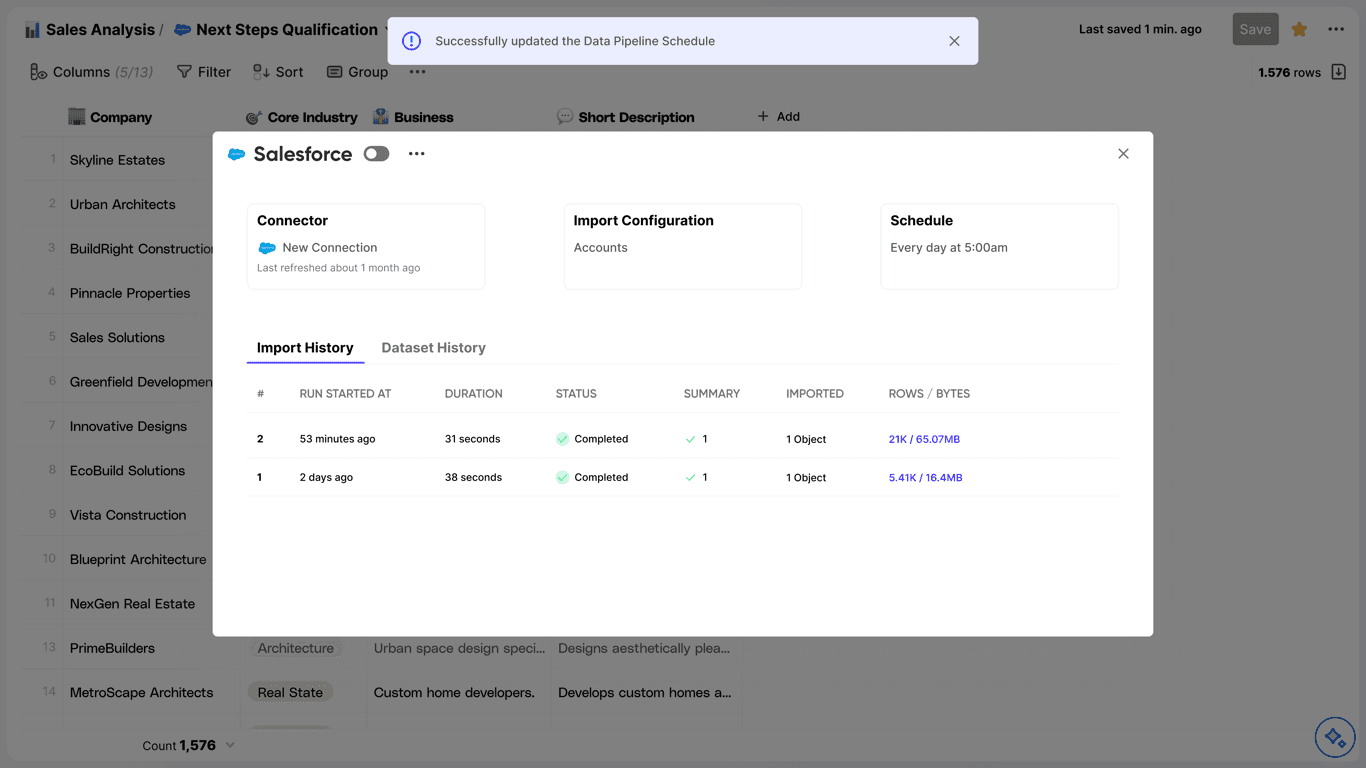
- Now you know how to set up a schedule!