Why Datagrid?
According to a Microsoft study, 75% of global knowledge workers are already using AI at work. However, when it comes to your company's unique, internal data, general-purpose AI tools fall short. They lack secure access, don't understand your company's internal lingo, and can't point you to the exact page of a 2,000-page PDF that answers your question.
Datagrid is different. It's built to overcome these exact challenges, turning your proprietary information into a competitive advantage by connecting to over 100 of your company data sources to give accurate, trustworthy answers backed up by citations.
Example: How Datagrid Saves You Effort
- Before Datagrid: A project executive needs to justify the higher budget for the new Nashville fitness center for a board meeting EOD. You'd have to manually dig through project files in Autodesk Construction Cloud, comparing specs across multiple projects—a stressful, error-prone process taking hours.
- With a Datagrid Agent: You ask a single question. The agent understands the business need, analyzes the relevant project files, and synthesizes the justification in seconds.
Example prompt: Justify the higher cost for the new Nashville fitness center.
Agent response: The agent's analysis shows the Nashville center's higher cost is justified by key upgrades like a 40% larger yoga studio for premium members, a new energy-efficient HVAC system required by local codes, and a juice bar to create a new revenue stream. (Sources: ACC Docs #7891, #7894).
Getting Started in 2 Minutes
- Sign up using your company email or single sign-on.
- Navigate to the Chat section in Datagrid.
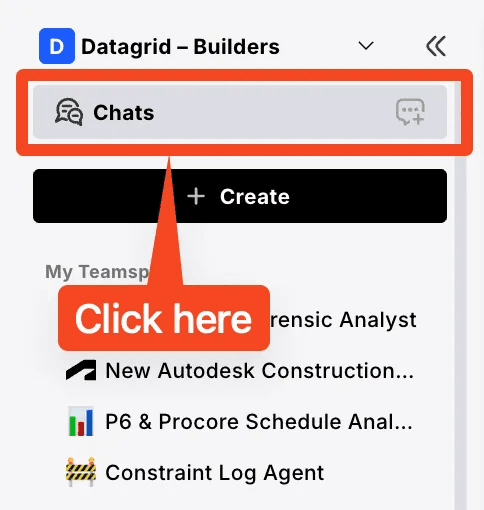
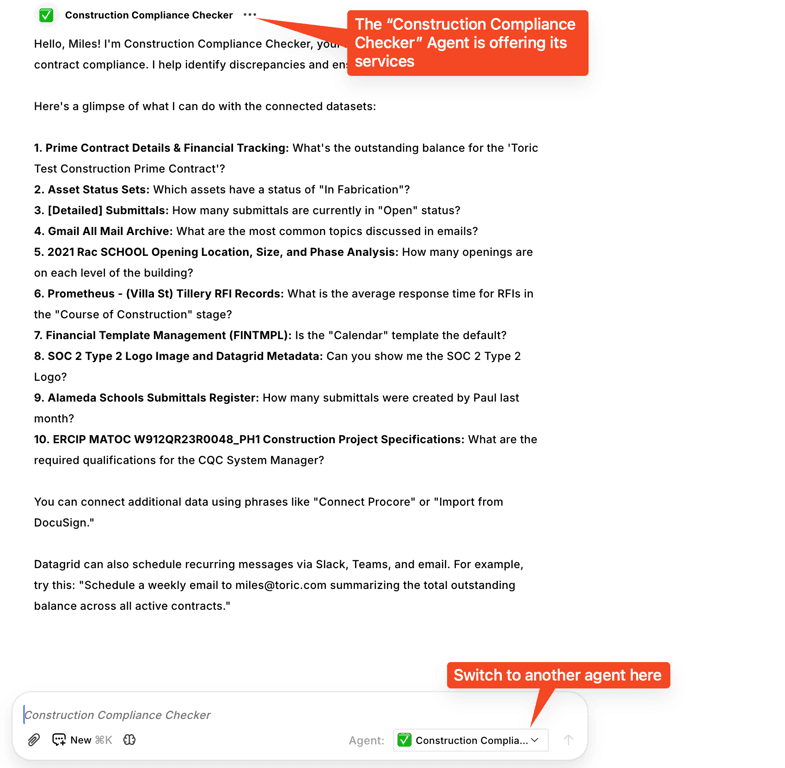
- Select an agent that has been created for your team. The agent will tell you what data it has, and what answers it can give you.
- Ask a precise, detailed question. The more specific you are, the better the result you will get.
- Good example: Please review the Q4 2023 sales report for the Western region, identify the top 3 underperforming products, and suggest marketing strategies from our ‘Marketing Playbook’ that target these products.
- Less effective example: Tell me about sales.
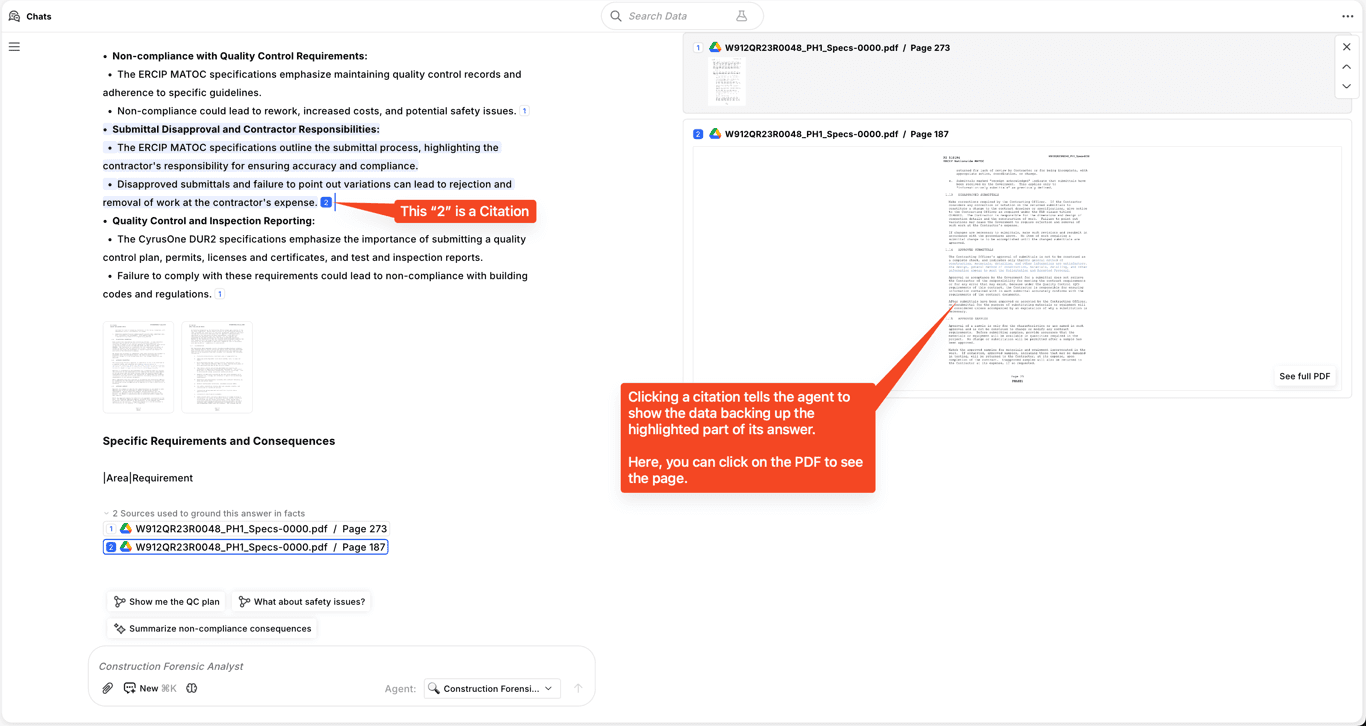
- Verify the answer: after the agent responds, click on the citations to instantly view the source document and confirm the information.
Getting More Done with Datagrid
Beyond asking questions about existing company knowledge, you can use Datagrid for more advanced tasks.
Analyze New Information
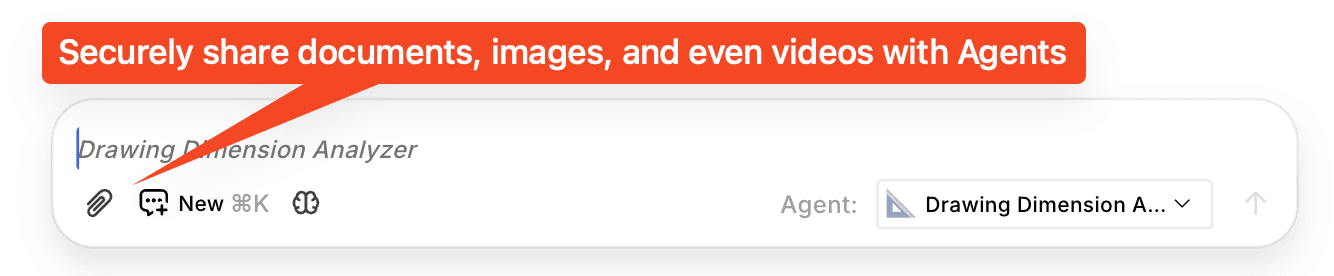
Need to understand a document that isn't in your company's system yet? Use the paperclip icon or Ctrl+V to upload an image or document directly into the chat. The agent can then analyze it, summarize it, or answer specific questions about its contents. For example, if you receive a new version of a contract from a customer, you can upload it and ask the agent to compare it against previous versions to instantly see what's changed.
Instant Data Analysis
If your company has connected tabular data (like spreadsheets or databases), Datagrid can perform complex analysis on the fly. It writes and executes its own queries to find the answers you need. Example prompts:
- “What was our average sales cycle length in Q2?”
- “Which marketing channel had the highest ROI last month?”
Ready to go deeper? Explore the rest of the Help Center or browse all integrations.